Website
$149/mo
For a school that needs a polished public site, campus pages, program pages, parent resources, and simple content updates.
- Premium school website
- Campus and program pages
- Parent resource pages
- Website update review
FullRooms pairs a premium public website with the private follow-up space for tours, admissions lists, careers, website updates, and Ontario-first launch checks.
Public website
A calm school site with clear next steps.
Book a tour
Campus and child details
Join admissions list
Program and desired start
Apply for a role
Candidate details
Contact a campus
Private follow-up
School office
Tour request
Schedule a campus visit
Admissions list
Review child and program details
Career application
Review candidate availability
Website photo
Approve replacement image
Launch readiness
Domains, redirects, forms, access, and policy checks stay visible before launch.
Competitive edge
Most options lean one way: marketing services without a private follow-up place, or large systems that make the school learn too much. FullRooms stays narrow on purpose.
The public site is connected to tours, admissions-list requests, careers, website changes, and follow-up from day one.
FullRooms focuses on the work started by the website instead of asking a school to replace every operational system.
The language, permissions, forms, and launch checks are built around campuses, programs, families, and school teams.
Admissions-list setup avoids default paid-waitlist assumptions, keeps family status privacy-safe, and gives the school a private packet for policy, consent, and list-history review.
What FullRooms replaces
Most school sites generate tasks the team has to manage somewhere else. FullRooms keeps the public experience and the private follow-up connected without making the school learn a large system.
Product walkthrough
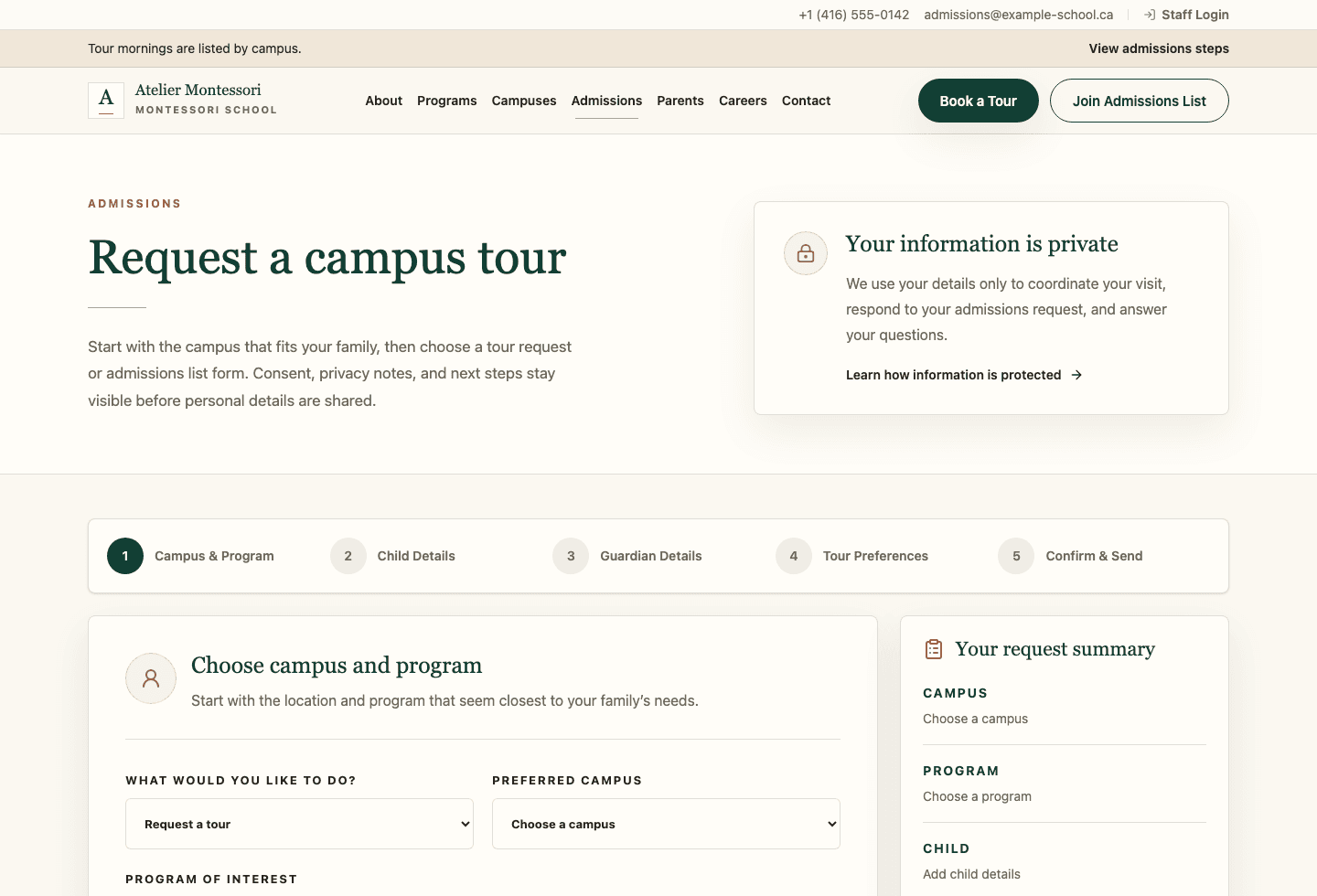
The demo is fictional, but the screens are real. Public pages stay focused on parents and candidates; the school office gets the structured context behind each request.
Public school website
The public site stays calm and focused. It helps a family choose the next action without exposing private admissions details.
Private school office
Admissions, visits, offers, careers, reminders, and website changes stay behind sign-in with school and campus access checks.
Private follow-up
Each request stays scoped to the right school and campus before a team member sees it.
Launch path
The work is sequenced so the school owner knows what is ready, what needs approval, and what should stay unchanged until launch.
Pages, forms, campus details, policy links, analytics, pixels, and redirect needs are listed before anything moves.
The school reviews public pages, intake paths, staff access, and launch checks before families see a new site.
DNS, SSL, www redirects, old URL redirects, and public form checks are verified before families are sent there.
The school can update core words and photos through guided screens instead of hunting for hidden settings.
Launch assurance
A fast launch only works when the easy-to-miss details are visible before the school changes its public address.
Homepage, campuses, programs, admissions, careers, contact, policies, and footer reviewed in one route map.
Tour, admissions list, and careers forms checked for mobile fit, consent language, and clear confirmation pages.
No paid-waitlist assumption, privacy-safe family status, consent capture, policy notes, and private list export reviewed before launch.
Primary domain, www redirect, legacy redirects, SSL, unknown subdomains, and school-specific host routing checked before launch.
Owner access, no-access states, sign-out path, and command-route protection checked before staff rely on it.
Launch responsibilities
Schools should not have to learn technical setup to launch well. FullRooms separates what the school approves from what the platform handles.
Website words and photos
School-approved copy, homepage photos, program details, campus details, announcements, and footer links.
Family and candidate paths
Which forms are available, which campuses they point to, and what confirmation families or candidates receive.
Admissions-list wording
Approved policy text, public family status language, and what the school is comfortable saying about waitlist position.
Team access
Which approved team members can see admissions, careers, website changes, and school-wide views.
Launch readiness
Domain, redirects, SSL, public route checks, production smoke, and school-not-ready safeguards.
Ontario readiness
No-fee defaults, privacy-safe waitlist handling, private list export, and policy/consent checks for the school to approve.
Structured setup
Campus, program, admissions, careers, policy, and image slots are prepared without turning the site into a page builder.
Safety checks
Copy, route, form, access, and publishing checks keep unsupported claims and private details out of public pages.
Included system
FullRooms is not trying to replace every school tool. It focuses on the public website and the front-office work that starts there.
Home, campuses, programs, admissions, tours, careers, contact, parent resources, and policy shells.
Campus and program intake, child and guardian details, consent capture, follow-up, offers, and a private Ontario-aware waitlist packet.
Guided copy and photo changes, review steps, alt text, and public rendering only after approval.
Open roles, application forms, candidate triage, interview steps, and private hiring notes.
Domain readiness, redirects, staff access, owner support, school-scoped data, and no-access states.
Consent snapshots, private files, audit trail, scoped access, safe public language, and no unsupported claims.
Pricing
Pricing is intentionally clear for early pilots. Setup depends on migration, campuses, DNS, redirects, and launch support.
$149/mo
For a school that needs a polished public site, campus pages, program pages, parent resources, and simple content updates.
$249/mo
For a school that wants the public site plus a private place for tours, admissions-list requests, offers, and follow-up.
$499/mo
For a multi-campus school that wants admissions, careers, website updates, parent resources, and launch readiness together.
Guided launch setup is quoted after the school details are reviewed. No domain, form, or policy change happens without school approval.
FAQ
The goal is to answer the first practical questions before a school owner asks their team to change a public website.
Only after review. We map the current site, prepare the new version, check forms and redirects, then switch the school address when the school approves the launch.
FullRooms prepares the launch path first: primary domain, www redirect, old-page redirects, SSL, and not-ready safeguards. A school should not have to guess through DNS.
No. Families can request a tour, join the admissions list, or apply for a role from public forms. The private Command Center is for approved school team members.
Yes, for structured areas such as homepage copy, admissions copy, careers copy, footer links, announcements, and named public photo slots. It is not a drag-and-drop page builder.
Admissions-list details stay private to the school. Public pages avoid private position details, fee assumptions, and unsupported policy claims.
We review the school basics, current website, domain path, campuses, forms, and first launch risks. The request does not publish anything or create staff access by itself.
Next step
The Montessori demo is fictional. It shows the product direction without testimonials, invented proof, or private operational data.